
Vorboss launches Simply Connected to simplify connectivity, IT and cybersecurity management for London businesses

Can you believe it? After 30 years of faithful service, Microsoft is finally pulling the plug on WordPad. The app that debuted with Windows 95, and lets you open a .doc file if you don’t have Word installed, is being shown the door.
But why now and what does it mean for your business?
Microsoft recently announced plans to stop updating WordPad and eventually remove it from Windows altogether. It was a quiet reveal, and it's unclear when this will happen, but it's in the works.
Let's be honest though… how many times have you accidentally opened a document in WordPad when you were aiming for Notepad?
Notepad is what you use for plain text. WordPad is more like a word processor. Everyone gets them confused.
Could this common mix-up be the reason behind WordPad's impending demise? Or perhaps Microsoft is trying to nudge more people towards paying for Microsoft Word, a key part of its Microsoft 365 suite.
In an excerpt from Microsoft's recently updated Windows deprecated features list, they recommend using Microsoft Word for rich text documents and Windows Notepad for plain text documents. So, in other words, "WordPad who?"
But let's not get too sentimental here. As a lifelong Windows user, I can confess that I've mostly opened WordPad only by mistake. And if it does vanish, I won't be losing sleep. There are plenty of other word processors out there, and I'm quite fond of Word.
However, if you're a diehard WordPad fan, don't despair just yet. Microsoft is asking for feedback via the Windows Feedback Hub app. So, if there's an outpouring of support, who knows? Maybe Microsoft will reconsider and allow WordPad to stick around, even if it's just as an optional, rarely-updated app from the Microsoft Store.
If we can help you discover the best apps for your business, get in touch.
You’re no stranger to the endless threats lurking in your email inbox. But have you ever considered that an email that seems to be from Microsoft could end up being your worst nightmare?
Microsoft, the tech giant we all know and trust, has become the most imitated brand when it comes to phishing attacks. That’s where cybervcriminals send you an email which contains a malicious link or file. They’re trying to steal your data.
And whilst Microsoft isn't to blame for this, you and your employees need to be on high alert for anything that seems suspicious.
During the second quarter of 2023, Microsoft soared to the top of brands imitated by criminals, accounting for 29% of brand phishing attempts.
This places it well ahead of Google in second place (19.5%) and Apple in third place (5.2%). These three tech titans account for more than half of the observed brand imitator attacks.
But what does this mean for your business?
Despite a clear surge in fake emails targeting millions of Windows and Microsoft 365 customers worldwide, careful observation can help protect you from identity theft and fraud attacks.
Whilst the most imitated brands change from quarter to quarter, usually cyber criminals are less likely to change their tactics.
They use legitimate-looking logos, colours, and fonts. Phishing scams frequently use domains or URLs that are similar to the real deal. But a careful scan of these and the content of any messages will often expose typos and errors – the tell-tale signs of a phishing attack.
One of the latest attacks claims there has been unusual Microsoft account sign-in activity on your account, directing you to a malicious link. These links are designed to steal everything from login credentials to payment details.
And whilst tech firms continue to be popular scam subjects, many cyber criminals have turned to financial services like online banking, gift cards, and online shopping orders. Wells Fargo and Amazon both rounded up the top five during Q2 2023, accounting for 4.2% and 4% of brand phishing attempts respectively.
What can you do to protect your business?
The answer is simpler than you might think. The best course of action when it comes to phishing is to slow down, observe, and analyse. Could you check for discrepancies in URLs, domains, and message text?
If we can help please do get in touch!
Have you heard about the latest productivity update from our friends at Google?
They've added a little feature to Google Calendar that could make your life much easier – especially if you’re a hybrid worker.
Remember in 2021 when they introduced the option to share your working location with your colleagues? They've taken it up a notch.
Now, you can set up multiple locations for any given day on your calendar. So whether you're splitting your time between the office and home or out and about as a mobile worker, Google’s got you covered.
Picture this: you're only in the office for half a day before heading to a client meeting. With this new feature, your colleagues will know exactly when and where to find you.
Google is all about helping us work smarter, not harder. They know that heaps of us are still working remotely, or juggling a mix of office and remote work. This update is specially designed for hybrid workers.
It's only available to those with a Workspace account, including:
- Google Workspace Business Standard/Plus
- Enterprise Standard/Plus
- Education Fundamentals/Standard/Plus
- The Teaching and Learning Upgrade
- Nonprofits
Unfortunately, personal accounts won't have access just yet.
The working location feature will be switched on by default. But if you prefer that your colleagues can’t find you (we’re not judging… we all get distracted at work) you can easily disable it.
If we can help you get the most out of everyday applications like calendars and email, get in touch.
We’ve all been there. You're scrolling through your Facebook feed, and an ad pops up promising to help you grow your business with some AI-powered software…
Sounds tempting. Without giving it much thought, you click to see what it’s about.
Bad news: This is a big red flag.
Cybercriminals have been found creating Facebook ads that promise to supercharge your productivity and revenue. But when you click, there's a catch.
The software they ask you to install is actually malware (malicious software).
And when it’s on your computer, it can give the criminals access to your Facebook data, including your ad budget.
You might think, "Who'd fall for such an obvious trick?"
But let's be real. When you're a small business owner juggling a million things at once, it's easy to take the bait. And these hackers are smart. They know how to make their phoney offers look legit, and how to hide the malware on your computer so it’s hard to spot.
How do you stay safe? First, be sceptical of offers that seem too good to be true, because they often are. You can verify ads by Googling the advertiser before clicking on them.
And above all, take steps to secure your Facebook account. Use two factor authentication, where you use a second device to prove it’s really you logging in.
Remember, these cyber criminals might be sneaky, but they're not infallible. For instance, the researchers who uncovered this scheme found several Vietnamese keywords in the malicious script.
This is another stark reminder of the importance of good cyber security. Running a business is a juggling act, and adding another ball to the mix might feel overwhelming.
But think of it this way: Would you rather spend a little time now securing your account or a lot of time later dealing with the fall out of a breach?
As the saying goes, "Prevention is better than cure." So, stay safe, stay alert, and protect what you've worked so hard to build. If you need some help doing that, get in touch.
Ever been tempted to download the beta version of your favourite app, ready to test out all the cool new features before everyone else?
The FBI has some news that might make you think twice.
Cybercriminals have devised a new trick to lure us into their lair. They’re hiding malicious code in fake beta versions of popular apps, turning unsuspecting people’s smartphones into their piggy banks.
Don't get us wrong; we love innovation as much as the next team of tech enthusiasts. But whilst beta versions have a certain allure, they still need to go through the rigorous security checks that apps in the official app stores must pass.
Criminals send fake emails pretending to be the developers of popular apps, offering early access to new beta versions.
But, of course, they’re fake, too. Once installed, they can do all sorts of nasty things, including accessing data from your finance apps and even taking over your phone.
Could your staff download them onto company devices to compromise your business?
There’s a moral to our story. And it's a simple one: Patience is a virtue.
Hold off on downloading beta versions of apps. Wait until they're stable and officially released in app stores. Good things come to those who wait, and that includes secure apps.
If you have previously downloaded beta versions, keep an eye out for red flags like faster battery drain, poor performance, persistent pop-up ads, and apps asking for unnecessary permissions.
In this digital age, we must be as bright and savvy as the technology we use. Before you hit download, could you take a moment to think: is this app worth the risk?
You can train your staff to think the same way. And if you do give them business phones, consider a Mobile Device Management solution to control what they can do with them.
We can help keep all your devices better protected. Get in touch.
Did you know that 60% of phishing websites are only online for a fleeting 10 minutes?
Yes, you read that right. Just ten minutes.
This surprising fact underlines just how rapidly cyber threats are evolving and how vital it is for us to stay ahead of the game.
Phishing sites are fake sites that trick you into entering your login details. Or to get you to download malware.
The idea is that cyber criminals drive huge amounts of traffic to them… scam people… then take down the site before it can be detected.
Wouldn't it be great if we could spot these threats before they vanish into thin air and pop up elsewhere? Well, Google Chrome has a trick to help us do just that.
Imagine this: You're running your business, constantly on the move, making split-second decisions. You absent-mindedly visit a website which looks a little… odd. But you don’t panic. You’re using Google Chrome, which scans websites you visit against its list of malicious URLs.
But uh oh. Google’s list of bad websites is only updated every 30 to 60 minutes. That 60% of phishing domains that are active for just 10 minutes may slip through the net.
Enter Google Chrome's new security tool, Enhanced Safe Browsing.
As part of a recent update, Chrome has switched it on for everyone. It will now check URLs against a list of domains in real time. Think of it as a cyber bodyguard who can spot and neutralise threats at lightning speed.
Google has confirmed that Enhanced Safe Browsing will continue to offer features like deep scans for files and protection from malicious extensions.
So, does this mean Google will know every URL you visit?
Well, yes. But whilst this new feature does share all visited URLs with Google, the information won’t be used to power other features, including advertising. It's a trade-off between security and privacy. Given the increasing sophistication of cyber threats, isn't it worth having an extra layer of protection?
We say embrace these new tools and stay one step ahead of the cybercriminals. After all, the safety of all our businesses depends on it.
If you need additional support protecting your business from phishing scams – or anything else – get in touch.
Latest from the press room
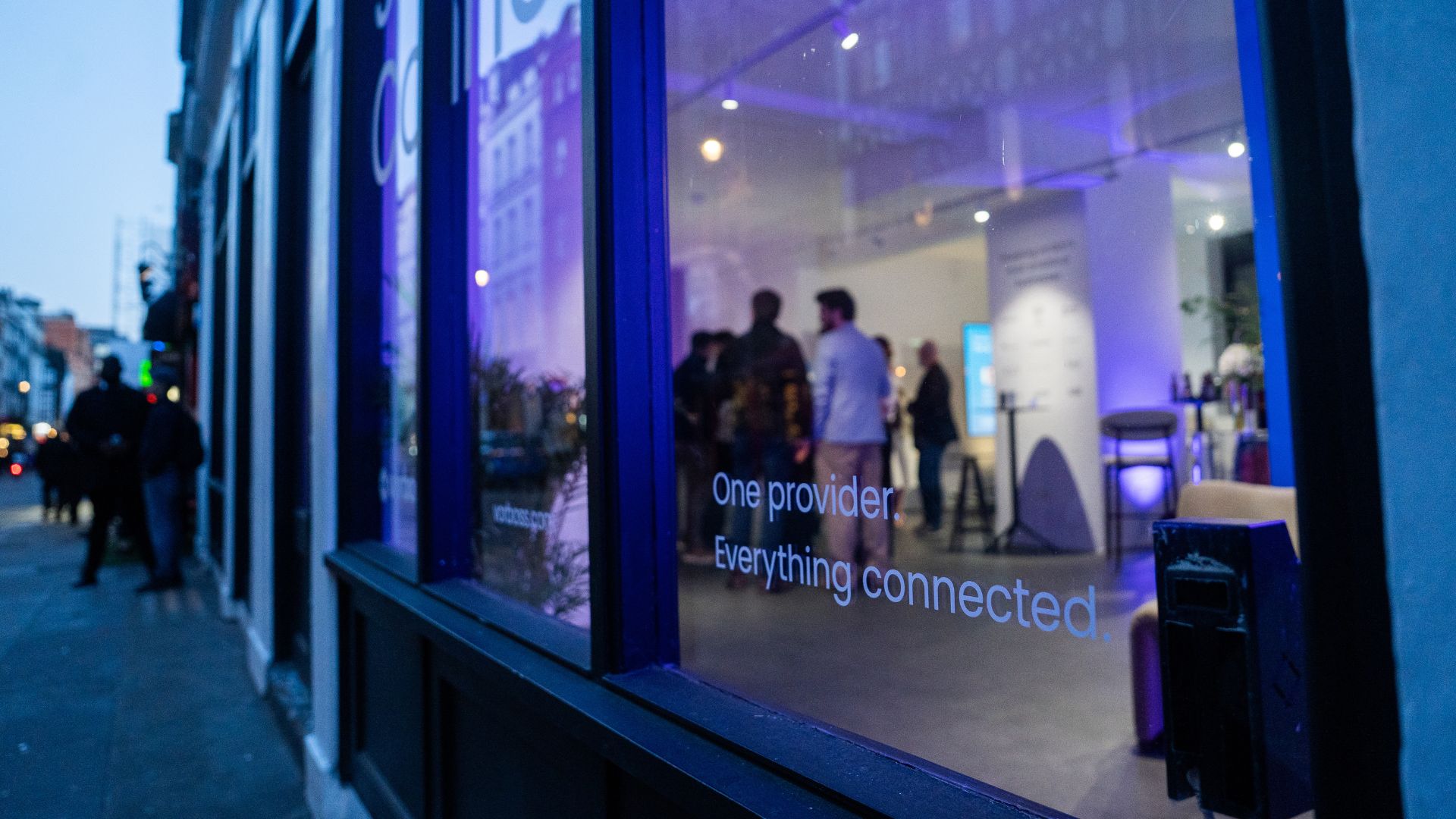
As companies grow, so does the technology behind them. Connectivity, IT and cybersecurity often end up spread across multiple suppliers, contracts and support models. Simply Connected brings it all together under one provider, making it easier to manage, easier to support, and clearer to understand costs.
At the heart of it is Vorboss’ own fibre network spanning over 750km across London, built, owned and operated in-house, with the same team designing, installing and managing the full setup end-to-end.
“Office technology has become overcomplicated,”
said Rhod Morgan, Chief Operations Officer at Vorboss.
“Many businesses have the right services on paper, but the experience feels disjointed. We wanted to remove the grey areas. Customers manage one relationship, have access to local support and receive one predictable monthly bill. The same team that builds the solution runs and supports it day-to-day.”
Simply Connected includes modular services that flex around each business and scale as it grows:
- Dedicated internet connectivity from Vorboss
- Fully managed office networks
- Managed IT and hardware provisioning
- Cybersecurity
- Ongoing support delivered by local London experts

Vorboss is powering the ambitions of London’s businesses with blazing-fast connectivity, managed IT, and serious cybersecurity. As we grow, we are focused on building a team that reflects the diversity of the customers we serve.
This year’s gender pay gap results mark a clear step forward, with both our median and mean pay gaps in favour of women, placing us ahead of the UK benchmark.
We recognise that lasting change depends on improving representation across roles and levels, and we are taking deliberate action to support this through inclusive hiring, clear career pathways and ongoing development. We are proud of the progress made and remain committed to achieving gender parity across Vorboss by 2028.
Read the full report here.

.avif)

.avif)
