
Vorboss launches Simply Connected to simplify connectivity, IT and cybersecurity management for London businesses

You might think that cyber criminals are only interested in large companies or those with huge financial assets. After all, that's where the big bucks are, right?
Think again.
Recent reports have shown that cyber criminals are casting their nets wide, targeting businesses of all sizes, from independent shops to global enterprises. And they're doing it with the help of something called "botnets."
You may have heard about the rise of malicious botnets, and you're probably wondering, "what on earth is a botnet, and why should I care?" Botnets are the secret weapons of cyber criminals. They're armies of compromised devices, all under the control of a single, malicious puppeteer. These can be anything from your computer to your smart fridge. Yes, even your fridge can be turned into a cyber weapon.
A new report observed "massive spikes" in the activity of these botnets, with over a million devices involved in malicious activities at one point. To put it into perspective, that's a hundred times the usual levels of botnet activity.
Usually, there are around 10,000 devices doing naughty stuff each day, with 20,000 being the highest number researchers had seen. But in December 2023, things got crazy. The number shot up to 35,144, and two weeks later, it rose even further to 43,194. That's a lot of compromised devices.
And it didn't stop there; the researchers saw the biggest spike yet, hitting a whopping 143,957 distinct devices being used at the same time. In fact, on the 5th and 6th
of January there were spikes of more than a million devices!
Why are they doing this? These botnets are being used to scan the internet, searching for weaknesses in websites, servers, and even email systems.
Think of the internet as a fortress with many doors and windows. These cyber criminals are looking for unlocked doors and open windows to sneak in. They focus on specific "ports" that serve as entry points.
What can you do to protect yourself from these cyber threats?
It's all about strengthening those doors and windows. Here are a few simple steps:
- Keep your software, operating systems, and applications up-to-date. Regular updates often fix vulnerabilities.
- Install a good firewall and reliable antivirus software to protect your devices.
- Educate your employees about cyber security best practices, such as avoiding suspicious links and emails.
- Enforce strong, unique passwords for all your accounts and devices.
- Regularly back up your data to prevent loss in case of a cyber attack.
- Keep an eye on your network for any unusual activity.
- Consider hiring a cyber security expert (that’s us) to assess and enhance your security measures.
If we can help you keep your business better protected, get in touch.
Microsoft has announced that starting on 14th October 2025, they will no longer provide free support and security updates for Windows 10.
While the idea of paying for updates might raise some eyebrows, let's put this into perspective. By 2025, Windows 10 will be a decade old, and Microsoft is likely to have introduced Windows 12. And as we know, Windows 11 is available today.
Supporting multiple old operating systems can be quite a handful, even for a tech giant like Microsoft.
2025 may seem like a way off, but it’s a good idea to start weighing up your options now. Here they are:
Option 1: Upgrade to Windows 11
Microsoft's preferred option is for you to switch to Windows 11. It's got some fantastic features and free updates until its end of life.
Option 2: Stick with Windows 10 and pay
You can choose to stay with Windows 10, but you'll need to pay for security updates (no new features, though). The exact cost isn't known yet. It'll likely be a subscription for monthly updates.
Option 3: Stick with Windows 10 and don’t update it
Sure, you can continue using Windows 10 without paying, but this isn't advisable. Without updates, your business’s PCs will become vulnerable to threats and security issues. And without Microsoft’s support to fix problems, even tech experts like us have nowhere to go for help. Please don’t take this option!
You've got until October 2025 to decide, so there’s no rush. But if you want your business to thrive this year, we’d highly recommend upgrading to Windows 11 sooner than later. You’ll immediately benefit from some features that could improve your processes and make your team’s jobs easier.
If you're considering the move to Windows 11, or exploring other options, we're here to help make the transition smooth and hassle-free. Get in touch.
You rely on your team to be efficient and productive. But slow and sluggish computers can make it difficult for them to do their work – and could affect you personally too. Which impacts your business's overall performance.
Before you jump to the (expensive) conclusion that you need to replace your PCs, there are several ways you can increase computer performance on Windows 10 and 11.
Here are just a few…
Restart your computer
Yes, it might be our favourite advice as IT support professionals, but a basic shutdown and restart can work wonders. Restarting your computer clears background processes, applications, and memory data. This often resolves common performance issues, especially if your computer has been running for a while.
Manage start-up apps
Many apps register themselves to start automatically with Windows 11, and this can slow down your computer's start-up process. To regain some speed, consider disabling unnecessary start-up apps:
- Open Settings
- Click on Apps
- Select the Start-up page
- Sort apps by their "Start-up impact"
- Turn off the toggle switch for any unnecessary apps
- Restart your computer
This will prevent these apps from launching automatically during start-up and save valuable system resources.
Disable restartable apps
Windows 11 has a feature that saves and restarts certain applications when you reboot your computer. While it can be convenient, it may not be ideal for performance. To turn off this feature:
- Open Setting
- Click on Accounts
- Go to the Sign-in options page
- Turn off the "Automatically save my restartable apps and restart them when I sign back in" toggle switch
Disabling this feature can help improve your computer's speed, especially if you have many applications that you don't use regularly.
Uninstall unnecessary apps
Unused or unnecessary apps can clutter your system and slow it down. To remove them:
- Open Settings
- Click on Apps
- Select the Installed apps page
- Choose the app you want to uninstall and click the Uninstall option
- Follow the on-screen directions if necessary
By removing apps you don't need, you'll free up space and resources for better performance.
Always be cautious about what software you install on your computer. Poorly designed or outdated applications can have a negative impact on performance. Stick to reputable apps (preferably those available in the Microsoft Store) because they have thorough reviews for both security and performance.
Before installing any software, do some online research to check for user experiences and potential issues. Trustworthy sources and well-known companies are your best bet.
Take the time to optimise your existing Windows computers before you consider upgrading your devices.
Of course, rather than doing all of this yourself, why not get our team to do it for you.
They can check every aspect of your computers and network to look for other hidden problems. Get in touch.
Here’s something not-so-fun but incredibly important to talk about: Malware attacks.
And it’s bad news. These scary cyber threats are hitting small and medium-sized businesses (SMBs) harder than ever before. That means you need to know how you can defend your business.
First things first, what exactly is malware?
Think of it as the digital equivalent of the germs that make you sick. Malware, short for malicious software, is like the flu virus of the cyber world. It's designed to sneak into your computer systems or network and wreak havoc in all sorts of ways.
So, what kinds of malware are we talking about here?
Well, according to a recent report, there are a few major troublemakers: Information-stealing malware, ransomware, and business email compromise (BEC).
You might be wondering why you should care about malware. Let me set the scene. You're running your business smoothly, minding your own business, when BAM! A malware attack hits.
Suddenly, your files are encrypted, your systems are locked down, and you're being held hostage for ransom.
Sounds like a nightmare, right?
That's the reality for many SMBs facing malware attacks. It's not just about losing money - it's about the potential damage to your reputation, your operations, and your customers' trust.
But there are plenty of ways to fight back against malware and keep your business safe and sound:
Educate your team
Teach your employees to spot phishing emails (an email pretending to be from someone you trust), suspicious links, and other sneaky tactics used by cyber criminals. A little awareness goes a long way.
Armour up your devices
Make sure all your computers and devices are equipped with the best software to prevent attacks.
Back up, back up, back up
Regularly back up your data to secure offsite locations. That way, if you are attacked, you'll have a backup plan (literally) to restore your files.
Fortify your network
Improve your network security with firewalls, encryption, and other powerful weapons. We can help with all of that.
Stay sceptical
Be cautious of suspicious emails or requests for sensitive information. When in doubt, double-check the sender's identity and never click on risky links or attachments.
Have a plan
Prepare an incident response plan for dealing with malware attacks. Think of it as your emergency playbook, complete with steps for containing the threat, recovering your data, and reporting the incident.
That’s a lot to take in, but remember, knowledge is power.
These are all things we help our clients with, so they don’t have to worry about it. If we can help you too, get in touch.
Improving productivity is a never-ending mission for most business owners and managers.
Whether it’s speeding up tasks or improving communication, every little helps. So it’s crucial to make the most of the tools you already have.
And while you might think of your web browser as just a means to access the internet, it can be so much more than that. Especially if you use Microsoft Edge in Windows 11. It has loads of features that can help supercharge your productivity.
Here are five of our favourites.
1. Split Screen for multitasking
Multitasking is a skill every business owner needs, and Microsoft Edge's split screen feature makes it easier than ever. Whether you're comparing web pages, researching multiple topics, or simply keeping an eye on different sites simultaneously, split screen lets you view two pages side-by-side within the same tab. It's like having two windows open at once, but without the clutter.
2. Vertical Tabs for streamlined navigation
Too many tabs? Yeah… we understand that. Microsoft Edge's vertical tabs offer a fresh perspective on tab management. By stacking tabs vertically along the side of the browser window, you can easily navigate between open tabs and access essential controls like close and mute.
3. Workspaces for seamless collaboration
Collaboration is key in any business, and Microsoft Edge's Workspaces feature makes it easier than ever to work well with colleagues or clients. Create a workspace with a collection of open tabs, then share it with others via a simple link. It means they can open multiple tabs with one click. It's perfect for brainstorming sessions, project management, or team presentations.
4. Collections for organised research
Gathering information from the web is a common task. Microsoft Edge's Collections feature makes this easier, allowing you to easily save and organise text, images, and videos from web pages into custom collections. Stay organised, focused, and productive.
5: Immersive Reader for distraction-free reading
When you need to focus on reading an article or document online, distractions on the page can be a pain. Microsoft Edge's Immersive Reader feature provides a clutter-free reading experience by removing ads, links, and other interruptions. Customise the text size, spacing, and colour scheme to suit your preferences, and even have the content read aloud for hands-free reading.
If your business doesn’t already use Microsoft Edge on Windows 11, this could be the perfect time to switch. Can we help you move over? Get in touch.
We all know how important it is to keep our people up-to-date on the latest cyber threats. After all, with cyber attacks on the rise, staying one step ahead is crucial to protect your business from potential breaches.
But here's the thing – annual cyber security training just isn't cutting it anymore.
Sure, it's become a routine part of the calendar for many organisations. And it’s great that it’s happening at all. But ask any security leader, and they'll tell you… employees find it time-consuming and uninspiring. From clicking through slides to skimming through videos at double-speed, it's usually seen as just another box to tick.
And let's be honest, even for those who do engage with the training, there's little evidence it leads to real behaviour change.
That's because the traditional approach lacks interactivity and doesn’t connect with employees on a personal level. It's more about ticking boxes than building a culture of cyber security vigilance.
Guess what? There's a better way. It's all about small, regular, human-centric interventions. Think of it like the speed signs you see when you’re driving. They remind people to stop and think before they engage in risky behaviour. Just as the signs work for driving, this kind of training makes your employees more aware of what they’re clicking.
By nudging employees toward safer decisions in real-time, we can help them develop better cyber hygiene habits without overwhelming them with information overload. It's about empowering them to make smarter choices every day.
And with the amount of Generative AI and third-party tools we’re surrounded with right now, it's more important than ever to give employees the guidance they need to navigate potential risks. Whether it's through real-time coaching or policy reminders, we can help employees understand the importance of safeguarding sensitive data.
So, while there may be a place for annual training, it’s time to think about using a more proactive approach to cyber security education.
This is something we can help you with. If you want to learn more, get in touch.
Latest from the press room
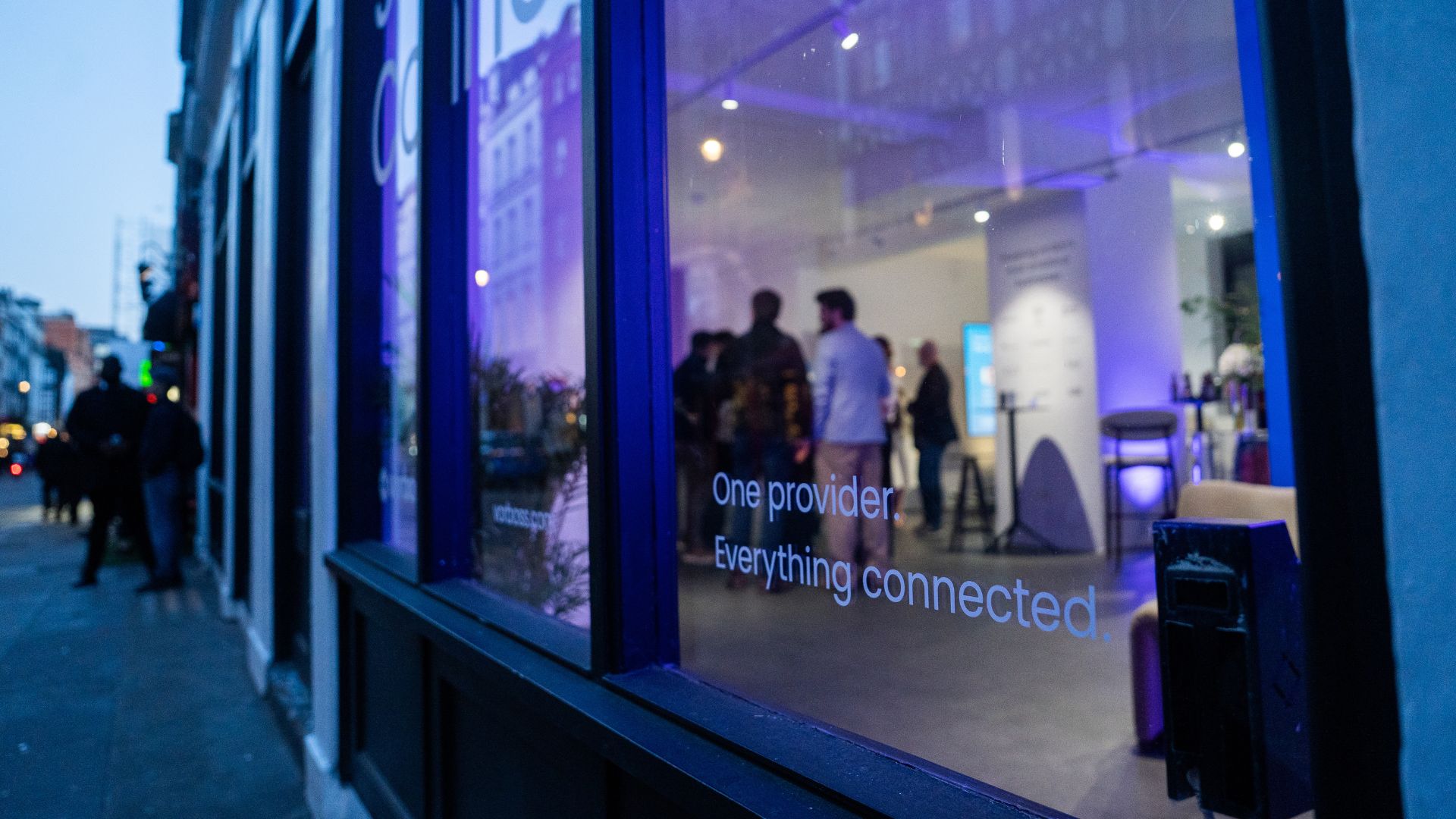
As companies grow, so does the technology behind them. Connectivity, IT and cybersecurity often end up spread across multiple suppliers, contracts and support models. Simply Connected brings it all together under one provider, making it easier to manage, easier to support, and clearer to understand costs.
At the heart of it is Vorboss’ own fibre network spanning over 750km across London, built, owned and operated in-house, with the same team designing, installing and managing the full setup end-to-end.
“Office technology has become overcomplicated,”
said Rhod Morgan, Chief Operations Officer at Vorboss.
“Many businesses have the right services on paper, but the experience feels disjointed. We wanted to remove the grey areas. Customers manage one relationship, have access to local support and receive one predictable monthly bill. The same team that builds the solution runs and supports it day-to-day.”
Simply Connected includes modular services that flex around each business and scale as it grows:
- Dedicated internet connectivity from Vorboss
- Fully managed office networks
- Managed IT and hardware provisioning
- Cybersecurity
- Ongoing support delivered by local London experts

Vorboss is powering the ambitions of London’s businesses with blazing-fast connectivity, managed IT, and serious cybersecurity. As we grow, we are focused on building a team that reflects the diversity of the customers we serve.
This year’s gender pay gap results mark a clear step forward, with both our median and mean pay gaps in favour of women, placing us ahead of the UK benchmark.
We recognise that lasting change depends on improving representation across roles and levels, and we are taking deliberate action to support this through inclusive hiring, clear career pathways and ongoing development. We are proud of the progress made and remain committed to achieving gender parity across Vorboss by 2028.
Read the full report here.

.avif)

.avif)
