
Vorboss launches Simply Connected to simplify connectivity, IT and cybersecurity management for London businesses

Back in May, we heard there would soon be a successor to the password – the Passkey.
Now, we’re hearing that Apple will start rolling out Passkeys in the next few months in iOS 16. And we’re excited.
Though it’s caused a bit of confusion. Apple is going to great lengths to market the Passkey, and understandably, people have assumed that it’s a feature exclusive to Apple.
That’s not the case!
In fact, Passkeys will be used in a joint effort to boost online security by Apple, Microsoft and Google. The reason Apple is promoting this new feature so hard is to get the message out there.
Microsoft and Google are also keen to spread the word so that people understand how Passkeys work.
The more people take advantage of Passkeys, the safer our businesses are online.
Passkeys – otherwise known as FIDO authentication – work by letting you log into an app or website with just your username and your pre-authenticated device, most probably your phone.
Your device generates a cryptographic token, which makes the second part of a cryptographic key pair. When the pair matches, you’re allowed access to the app or website.
What that means in practice is when you’re logging in, you just use your phone to prove its really you. You’ll just unlock it using your face, fingerprint or PIN.
So long as your phone is within Bluetooth range of your computer it will work.
And without needing a password… bliss…
It’s a far more secure way to access apps and keep your accounts safe from cyber criminals. You never see your cryptographic token, so it takes away a lot of the danger of having your login credentials stolen.
Cyber criminals will be unable to use their normal tactics – such phishing emails, brute force attacks, or key loggers – to steal your credentials.
They’ll need your physical device, making remote hacking much less likely.
If you use Windows Hello, you’ll see that Passkeys are already supported. And it won’t be long until all three tech giants roll out support across their entire product range.
Before then, if you’d like any help or advice on keeping your apps and accounts safer, just give us a call!
Phishing scams are one of the biggest security threats to your business right now.
A massive 83% of organisations said they suffered successful attacks last year. And with just under a third of phishing emails being opened, the chances that someone in your business will be fooled are high.
But to make matters more difficult, cyber criminals have borrowed a technique from ransomware groups that is designed to panic people into taking action and giving away their login details.
This new kind of phishing attack begins like most others.
You get an email alerting you to potentially suspicious activity on your account. It might say someone is trying to login from a different location or device and the attempt has been blocked.
You’re then asked to click a link to verify your email address and password. That’s worrying enough, right?
But what makes this phishing attack even more dangerous, is the countdown timer that appears on screen.
Typically, it’s set at one hour, and you’re asked to confirm your details before the countdown ends, otherwise your account will be deleted. Yes, deleted! That catches a lot of people’s attention.
This is a powerful manipulation tactic designed to scare people into taking immediate action – and think later.
In reality, if that countdown hits zero nothing will happen. But watching the seconds count down can give you a sense of urgency that makes you forget to check whether an email is the real deal or not.
The page you’re entering your details on is fake. Criminals will steal your details and login to your real account. That’s a major problem you don’t ever want your business to face.
You’ll be at risk of data theft, financial loss, or malware, as well as potentially putting other accounts at risk (if you’ve reused your password).
Your login details may even be sold on the dark web, giving other cyber criminals the opportunity to break into your account.
Here are some basic phishing protections for you and your team.
- Look at the email address the email was sent from. Make sure the spelling and grammar are both correct, and hover over links to see what website address they are trying to send you to.
- If you think you’ve fallen for this kind of scam, it’s important you change your login details immediately. Don’t click a link in an email – type in the website address in your browser.
- We’d also recommend using a password manager. This is software that creates long and strong random passwords that are impossible to guess for every account you have.
- It will store these passwords for you. And autofill login boxes to save you time (yes, password managers detect when they’re being asked to fill in details on a different page, such as a fake phishing page).
Share this article with your whole team right now!
And if anyone ever clicks a link they’re not sure about, ask us how to keep your business safe.
Using a cloud server to drive your business’s technology is a smart idea. The benefits are huge!
You can use as little or as much storage as you need, without having to worry about limitations or huge bills. Perfect for growing businesses.
Your team can access any data anywhere. Cloud servers were made for the hybrid work world we have today.
And you don’t need to use lots of your office space to house big servers and other equipment.
But when you’re using a cloud server, you must make sure it’s properly secured.
A recent report has revealed cloud servers are increasingly being used as an entry point for cyber criminals to launch attacks.
A huge 41% of businesses that have been hacked revealed their cloud server was how cyber criminals got in.
Scarily, this figure is rising 10% year on year.
Why? Often, it’s because companies don’t invest as much into the security of their cloud servers as they should.
In technology as in life, you really do get what you pay for. Many of the free cloud servers available don’t provide the same level of security and encryption that paid-for services do. Often they are less reliable as well.
It’s vital that your business does full research when choosing a cloud server to make sure it meets all your requirements and is as safe as possible.
Better still, ask an expert to do this research for you (we can help).
We also recommend a few standard security measures are always followed.
Give all of your team a password manager to encourage them to generate separate long random passwords for every login they have.
The beauty of password managers is they’ll remember these passwords and even autofill the login boxes. That means better security and greater convenience in one package.
You should also provide regular cyber security training for everyone in your business. Business emails are the second most likely place an attack will start.
The first line of defence should always be a human asking themselves “wait, does this look right?”
It’s never possible to prevent 100% of attacks. But if you take all the right steps to keep your business safe your chances of suffering a successful attack go down dramatically.
If you’d like help choosing the right cloud server for your business, we can advise you – get in touch.
For the past couple of years, the tech world has been struggling with a huge shortage of chips.
But it’s not just tech businesses that are feeling the impact.
So many of the things we use every day contain a chip. Laptops and desktops, sure. But also household appliances, even our cars. It’s hard to find an electric device without a chip. This shortage has the potential to disrupt our modern lives.
Did you know, it’s been ongoing since 2020 (ah, that year really was a gift, wasn’t it)?
It started during the pandemic as production fell while demand went up. Other events since have made it worse, including extreme weather, the Ukraine war and a factory fire.
We’re told that increasing chip production isn’t easy. It can take years to build a new factory because of the unique production demands. Of course, all of this is someone else’s problem. Let’s make it real to you – what does this actually mean for your business?
Essentially it means you need to plan ahead more.
Some of the technology you need to run your business may be in short supply. As an example, getting large numbers of the same laptop might be difficult, compared to getting just 2 or 3.
And some of the essential devices you rarely think about as they’re in the background, such as network switches, are currently much harder to get. As you push your business towards increased growth it means planning ahead more than ever before.
Industry experts expect the shortage to last into next year… and it could be even longer.
Would you like to run your growth plans by us, so we can advise what might need to be ordered, when?
Get in touch!
There’s no denying the Windows 11 has a lot of really cool new features.
If you haven’t made the move from Windows 10 yet, you’re missing out.
But there’s good news. To make the (eventual) move from Windows 10 to 11 a little easier, Microsoft is sharing a couple of 11’s most useful features.
The first should make printing a little easier. We can hear your cheers from here! Anything that makes printing easier is OK in our book too. Printers don’t have a terrible reputation for nothing…
This feature makes printing PIN-protected. That means when you want to print a document, you’ll send it off to the printer – but it’ll only print when you’ve reached the printer and entered your PIN.
This removes the risk of you printing something confidential and leaving it on the printer for everyone to see.
Or accidentally printing several copies of the same document. Yes, this will reduce paper waste.
And that’s not all…
There’s a second really useful feature coming over to Windows 10. It’s called Focus Assist and works alongside do not disturb.
Switching on do not disturb is great when you want a little uninterrupted time to finish a task or do some research. But if you use it a lot, you might miss a notification that you really needed to see.
Focus Assist stops that from happening. You use it alongside do not disturb and it still allows important and time-sensitive notifications and messages to reach you.
These features have been in testing since June this year. There’s still no date for when they’ll be released to everyone with Windows 10. But they’re on their way.
If you can’t wait to try more of the time saving and productivity boosting features that Windows 11 has to offer, give us a call to see how we can help you make the switch.
Working from home. Or remote working, as it’s now called.
It’s the big thing in business, isn’t it? And some people love it. They’re happier working where they want, and when they want. And that makes them more productive and less likely to leave.
But have you stopped to consider the downside to remote working? The negative elements for your business and your people?
While many employees are happy to work from home using video calls and collaborative software to stay connected, there’s a small percentage who find the whole experience isolating.
And when that happens, it can quickly lead to a drop in motivation and happiness. It can even change the culture within your business.
In turn, this can lead to performance issues which may be trickier to spot.
At the other extreme, some employees will become more susceptible to burnout as they struggle to draw a line between work and personal time. That change in environment can be so important for some.
And while you want your team to be happy and fulfilled in their roles, there are also some practical considerations you need to make for your business.
Such as the cost of remote working. Does everyone have the right tools for the job – laptops, phones, office equipment? Maybe even a desk and chair, or an internet upgrade?Do you need to spend twice – giving them an at home setup and investing in hot desks in the office?
Most importantly, you must put in place full cyber security protection wherever someone is working.
Here’s how we can help you stay safe and potentially save money.
Would you like us to audit your current setup and suggest some options? This is what we do every day.
Just get in touch!
Latest from the press room
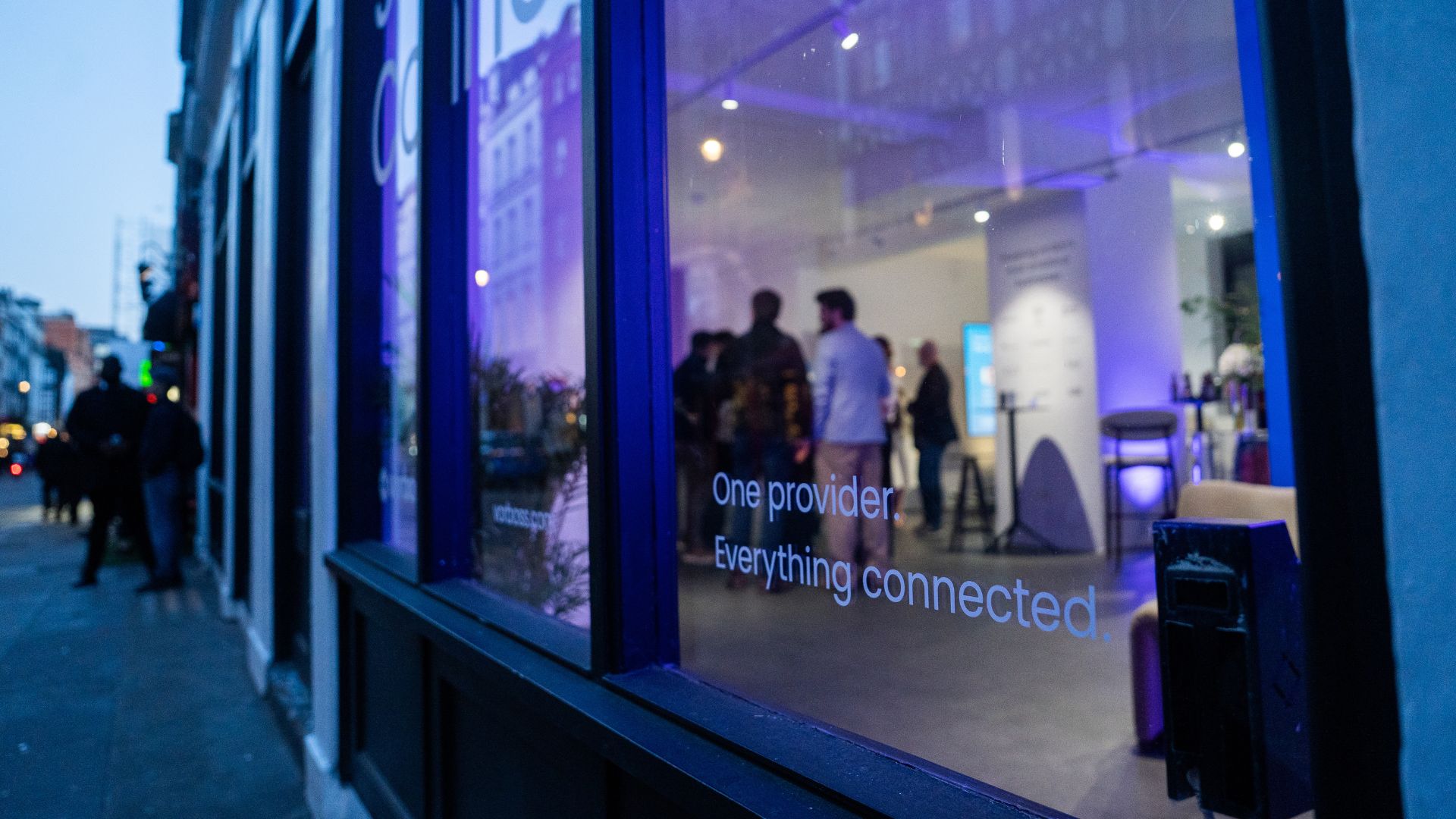
As companies grow, so does the technology behind them. Connectivity, IT and cybersecurity often end up spread across multiple suppliers, contracts and support models. Simply Connected brings it all together under one provider, making it easier to manage, easier to support, and clearer to understand costs.
At the heart of it is Vorboss’ own fibre network spanning over 750km across London, built, owned and operated in-house, with the same team designing, installing and managing the full setup end-to-end.
“Office technology has become overcomplicated,”
said Rhod Morgan, Chief Operations Officer at Vorboss.
“Many businesses have the right services on paper, but the experience feels disjointed. We wanted to remove the grey areas. Customers manage one relationship, have access to local support and receive one predictable monthly bill. The same team that builds the solution runs and supports it day-to-day.”
Simply Connected includes modular services that flex around each business and scale as it grows:
- Dedicated internet connectivity from Vorboss
- Fully managed office networks
- Managed IT and hardware provisioning
- Cybersecurity
- Ongoing support delivered by local London experts

Vorboss is powering the ambitions of London’s businesses with blazing-fast connectivity, managed IT, and serious cybersecurity. As we grow, we are focused on building a team that reflects the diversity of the customers we serve.
This year’s gender pay gap results mark a clear step forward, with both our median and mean pay gaps in favour of women, placing us ahead of the UK benchmark.
We recognise that lasting change depends on improving representation across roles and levels, and we are taking deliberate action to support this through inclusive hiring, clear career pathways and ongoing development. We are proud of the progress made and remain committed to achieving gender parity across Vorboss by 2028.
Read the full report here.

.avif)

.avif)
