
Vorboss launches Simply Connected to simplify connectivity, IT and cybersecurity management for London businesses

Early on in the first lockdowns in 2020, did you ever sit at your computer and think “I really like working from home”?
Or were you the opposite; desperate to get back into a building and meet with other people like in the old days?
Whichever was the case – and whether you feel the same now – we’ve ended up with a mix of the two: Hybrid working. Some people are in the office. Some are at home. The days of having everyone together at the same time are gone. Maybe forever.
Which means that video calls are here to stay.
If you want to invest in your video call setup, here are three easy upgrades for you.
- The first is about improving your picture quality. Many people use the built-in camera on their laptop, which is OK. Cheap webcams also do the job. However, if you’re spending a lot of your day on video calls, you can instantly make yourself look better with a decent camera. The simplest option is to use an old smartphone. The cameras in most modern phones are great. And it’s really easy to link them up to your computer using a free app, like Iruin. Alternatively you could invest in a 4K webcam for the ultimate professional look, but this can be pricey. Most people find that a 1080p Full HD resolution webcam is more than enough.
- The second and the most important part of your video call - and the one most often neglected - the sound. Think about how well you can hear the other people on your calls, and how well they can hear you. Most video platforms allow you to do a test call to check your quality. If your computer’s built-in microphone isn’t up to the job, get a USB desk microphone. The other alternative is to buy a headset with a mic. If you work in a noisy environment, not only will people you call be able to hear you more clearly, but you’ll hear them better too.
- Finally, think about your lighting. Even the best camera will struggle to make you look great with poor lighting. The very best solution is to use natural light. That means sitting facing a window while you are on calls. When that’s not practical you can give your lighting a boost with a ring light. This will give you even lighting all over your face. Again, this doesn’t have to be an expensive option. You can get great ring lights without spending a fortune. If you wanted full control over your lighting, consider two LED lights. These can be adjusted to light the whole scene. And with some, you can adjust the colour temperature of the lights to match the natural daylight coming through your window. That will give you a consistent look on each call, day and night.
Finally, here’s a thought. If you don’t want to have lots of accessories cluttering your desk, consider a webcam with built-in microphone AND ring light. What you lose in control you gain in convenience.
The best part about all of these solutions is you don’t have to be an expert to set them up.
You can get them all working with minimal technical knowledge and make your next video call look more professional.
Need specific recommendations on which accessories to buy? Get in touch.
Microsoft’s decided to retire and rework an AI tool that could not only recognise our facial features, but also identify our mood.
Azure Face is an emotion recognition tool. These are highly criticised by experts who believe they violate human rights.
Microsoft has just published the updated version of its Responsible AI Standard.
It wants AI to be a positive force in the world, and says it recognised Azure Face has the potential to be misused.
It seems like it’s not goodbye for good for the AI facial recognition technology though. Although the public won’t be able to access it, Microsoft sees the value of controlled access for specific needs, such as assistance for the visually impaired.
One thing that has been cut is the AI’s ability to recognise individuals based on their gender, age, hair, and even facial expression. The concern is that the feature could be used by cyber criminals to impersonate individuals and commit fraud.
On top of the Azure Face change, Microsoft’s also limiting which businesses can access its Custom Neural Voice service. This is a text to speech app that’s said to be very lifelike.
In other related news, it’s not the only new step that Microsoft is taking right now to help protect us from fraud and threats.
It’s also adding new features to its email service in Microsoft 365, that improve how something called Tenant Allow Block List works. Previously, this was a feature that allowed people to block contacts. If a blocked contact tried to email you, the email wouldn’t reach you. Now, Microsoft is previewing an additional control which also allows you to stop emails being sent to these blocked contacts, too.
It means the threat of being caught out by a phishing scam is reduced, giving you another layer of security as part and parcel of your Microsoft 365 subscription.
With phishing scams becoming increasingly more dangerous, it’s not a moment too soon in our view.
The feature should go into preview soon, and is expected to be available by the end of the month.
In the meantime, if you’re concerned about your business’s email security, get in touch.
When you’re browsing it can feel like you’re being bombarded with things other people want you to see. Not only do we have to click on permissions for cookies and tracking, but now a lot of websites ask for our permission to send us notifications.
And while many of these notifications are harmless – news updates, latest recipes, product releases – sometimes they can be outright spam.
It’s distracting, it’s making us less productive at work, and it’s just really annoying.
It’s called ‘notification spam’ and it’s becoming a problem. In fact, Google says it’s one of the top complaint reports from people using its Chrome browser.
So now the tech giant has decided to do more about it.
Back in October 2020, Google first acted on harmful notifications by exposing websites that misled people into giving permission. It created its own prompts to warn people the website may have malicious intent.
Now, Google intends to take things a step further if it feels the website is ‘abusive’ or ‘disruptive’. It’ll revoke a website’s permission to send notifications, and even block attempts to request permission.
Even if you’ve accidentally allowed a malicious site to send notifications, Chrome will be able to step in and block the alerts.
While it’s not yet clear how Google will define websites as ‘abusive’ or ‘disruptive’, it feels like a good move towards reducing the amount of spam we’re exposed to.
Google has explained that this new feature works to strengthen its ‘Developer Terms of Service’ that pledge not to use the company’s API to send any form of spam. It shouldn’t affect the majority of websites, but instead should go some way to keeping your Chrome notifications spam-free.
Development on Chrome’s notification spam block protection has only just started, so we don’t yet have a release date for the new feature.
As always, if you’d like any further advice on protecting yourself from spam and other productivity killers, get in touch.
Spam emails. Everyone hates them!
It’s not just the emotional pain of clearing spam from your inbox. Having to do that is a real productivity killer, too.
A recent report found that each one of your employees could be losing up to 80 hours each year, thanks to filtering and deleting spam emails.
That’s a LOT of lost productivity.
Anywhere between 45% and 85% of emails generated each day are spam emails. And worryingly, that also includes malicious emails and those hoping to infect you with malware.
Although we don’t all receive the same number of emails every day, the hours lost to filtering them out adds up.
If one of your employees gets 30 external emails a day, they’d get around 30 spam emails each week. That would work out to around 5 hours each year wasted in sorting through and deleting them.
For an employee who gets up to 60 emails a day, it would be an average of 11 hours a year wasted.
And for someone who gets more than 100 emails each day, you’re looking at around 80 hours of productivity lost to filtering emails each year.
Now add that up for each one of your team and you could be looking at a big number.
Not only that, but since a proportion of these emails will be phishing attempts (that’s where the sender wants you to take an action that will secretly give them access to sensitive data), it’s also a big risk to your data security too.
Of course, there are a few things you can do to cut down the time spent on dealing with spam emails. The first is to make use of the spam and junk email filters available from your email service.
You may also consider bringing in dedicated anti-spam and anti-phishing tools.
Finally, you can make your people aware of the risks of spam, how to spot spam emails, and the best way to deal with it to save time and minimise the risk of malware or a data breach.
If that kind of training is something you’d like some help with, get in touch.
It feels like every day we’re being warned about a new threat to our cyber security, doesn’t it?
That’s for good reason. Last year, ransomware attacks alone affected 73% of UK businesses.
And the cost of cyber-crime is estimated to hit $10.5 trillion by 2025, according to the ‘2022 Cybersecurity Almanac’.
But we’re still seeing far too many businesses that aren’t taking this threat seriously.
It’s not only your data that you could lose if your company falls victim to a cyber-attack. The cost of remediation or mitigation can run into tens of thousands of £££.
And at the same time you’ll suffer an average of 21 days downtime after a cyber-attack. Imagine… 21 days without being able to use all your business technology as normal. It doesn’t bear thinking about.
It’s really important that your business is taking appropriate steps to keep your data safe and secure.
That most likely means a layered approach to your security. This is where several solutions are used, which work together to give you a level of protection appropriate to your business.
This reduces your risk of being attacked. And makes recovery easier should you fall victim.
It’s worth pointing out that you will never be able to keep your business 100% protected from cyber-attacks. Not without totally locking down every system, to the point where it would be very difficult to do business (and your staff would constantly be looking for ways around the enhanced security!).
No, the key to excellent cyber security is striking the right balance between protection and usability.
There are three mistakes that are most commonly made by businesses – and they’re also some of the most dangerous mistakes to make.
Is your business making any of these?
Mistake 1) Not restricting access
Different employees will have different needs when accessing company files and applications. If you allow everyone access to everything it opens up your entire network to criminals.
You should also make sure to change access rights when someone changes roles, and revoke them when they leave.
Mistake 2) Allowing lateral movement
If cyber criminals gain access to a computer used by a member of your admin team, that in itself might not be a disaster.
But what if they could move from your admin system to your invoicing system… and from there to your CRM… and then into someone’s email account?
This is known as lateral movement. The criminals gain access to one system and work their way into more sensitive systems.
If they can get into the email of someone who has admin rights to other systems or even the company bank account, they can start resetting passwords and locking out other people.
Scary stuff.
One strategy against this is called air gapping. It means that there’s no direct access from one part of your network to another.
Mistake 3) Not planning and protecting
Businesses that work closely with their IT partner to prepare and protect are less likely to be attacked in the first place.
And will be back on their feet faster if the worst does happen.
You should also have an up-to-date plan in place that details what to do, should an attack happen.
This will significantly shorten the amount of time it takes to respond to an attack. That means you’ll limit your data loss and the cost of putting things right again.
If you know you’re making one (two, or even three) of these mistakes in your business, you need to act quickly. We can help.
Get in touch and we’ll review your current security arrangements.
It’s no secret that some applications are a little too interested in us and what we’re doing.
We’ve all had this experience. You might be talking to a friend about a new product that you’d like to try. Or perhaps you’ve discussed somewhere you’d like to visit.
Then the next time you go online you see adverts for the exact things you were talking about. It’s more than a coincidence, surely???
Until recently, we haven’t had a lot of control over what information our apps are gathering about us.
Android and iOS first stepped up to give us more power over our online privacy. We were given the ability to control which apps could access our data, and sensitive things like our camera and microphone.
But while it’s easy to think of this only being an issue with phones… laptops have the same problems.
So here’s some great news. Microsoft’s testing a new feature in Windows 11 to put the power back in our hands.
It’s currently testing a new feature – called Privacy Auditing – which allows you to see which applications have been accessing sensitive hardware, like your webcam and microphone.
You’ll also be able to see if your screenshots, messages, and even your contacts and location data have been accessed. And there’s a log of which apps accessed this info, and when.
When launched, the feature will be available in your Privacy & Security menu, under App Permissions.
There you’ll be able to see a full list of what’s been accessed, by which app, and when. It should become your first port of call if you suspect any suspicious activity is taking place on your device.
When the feature is released, it will be a great tool to check periodically to help you avoid malicious activity and to make sure your sensitive data remains in the right hands.
In the meantime, if you’d like someone to look over the data permissions on your business’s devices, get in touch.
Latest from the press room
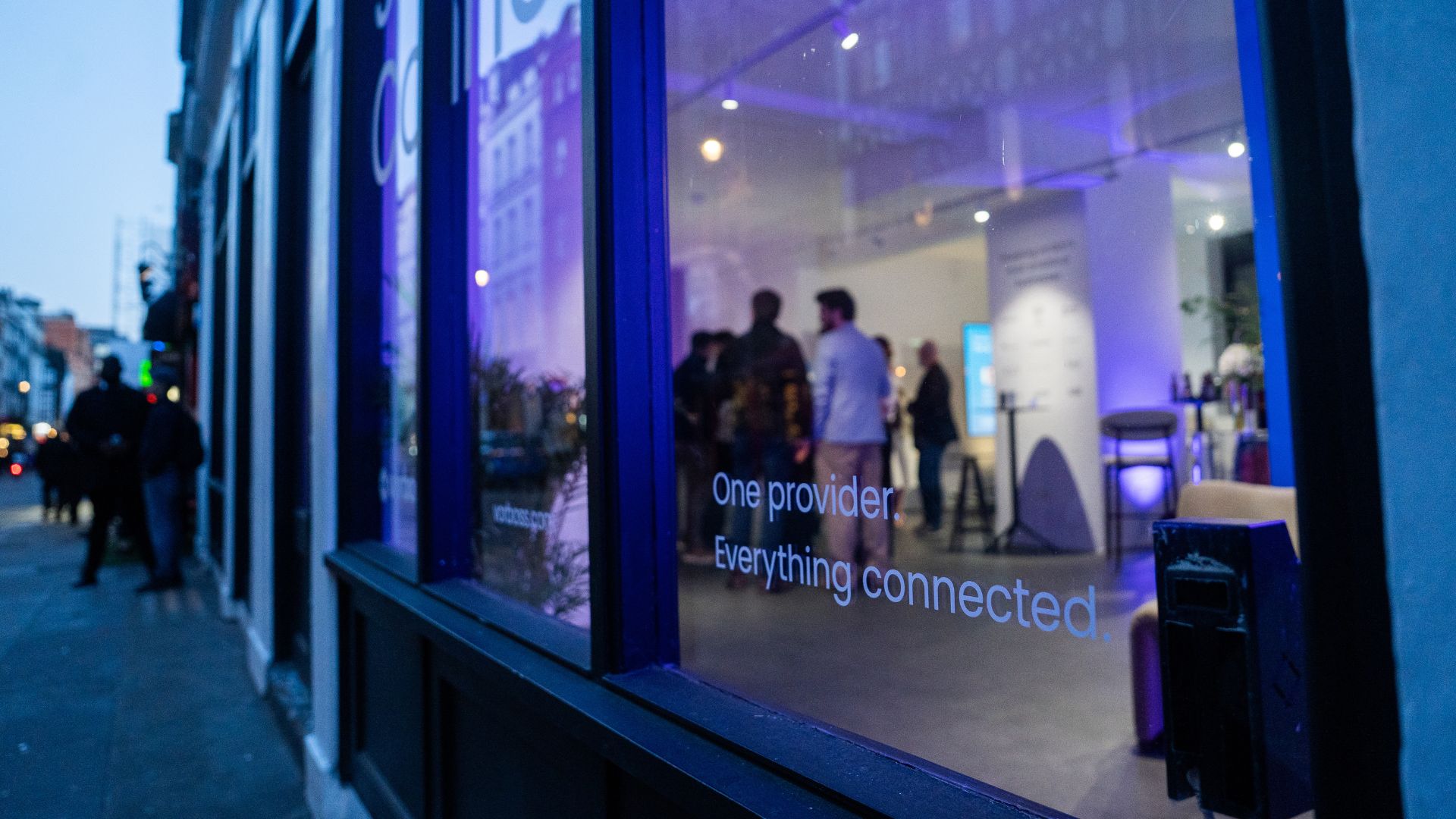
As companies grow, so does the technology behind them. Connectivity, IT and cybersecurity often end up spread across multiple suppliers, contracts and support models. Simply Connected brings it all together under one provider, making it easier to manage, easier to support, and clearer to understand costs.
At the heart of it is Vorboss’ own fibre network spanning over 750km across London, built, owned and operated in-house, with the same team designing, installing and managing the full setup end-to-end.
“Office technology has become overcomplicated,”
said Rhod Morgan, Chief Operations Officer at Vorboss.
“Many businesses have the right services on paper, but the experience feels disjointed. We wanted to remove the grey areas. Customers manage one relationship, have access to local support and receive one predictable monthly bill. The same team that builds the solution runs and supports it day-to-day.”
Simply Connected includes modular services that flex around each business and scale as it grows:
- Dedicated internet connectivity from Vorboss
- Fully managed office networks
- Managed IT and hardware provisioning
- Cybersecurity
- Ongoing support delivered by local London experts

Vorboss is powering the ambitions of London’s businesses with blazing-fast connectivity, managed IT, and serious cybersecurity. As we grow, we are focused on building a team that reflects the diversity of the customers we serve.
This year’s gender pay gap results mark a clear step forward, with both our median and mean pay gaps in favour of women, placing us ahead of the UK benchmark.
We recognise that lasting change depends on improving representation across roles and levels, and we are taking deliberate action to support this through inclusive hiring, clear career pathways and ongoing development. We are proud of the progress made and remain committed to achieving gender parity across Vorboss by 2028.
Read the full report here.

.avif)

.avif)
