
Vorboss launches Simply Connected to simplify connectivity, IT and cybersecurity management

Microsoft is working on an update that will allow Windows 11 File Explorer to directly access files on your Android phone, making file transfers smoother and faster than ever before.
Why’s this is such a big deal and how it can boost productivity for you and your team?
Imagine you’re in a meeting and need to quickly pull up a document or photo from your phone. Normally, you’d have to email it to yourself or transfer it using a cloud service. This can be time-consuming and cumbersome.
With the upcoming Windows 11 update, you’ll be able to access your Android phone’s files directly through File Explorer. No more fumbling with multiple steps, just quick, easy access to what you need.
This feature isn’t just about increased convenience; it’s a big productivity booster. By streamlining the process of transferring files between your phone and computer, you can save time. When you’re busy, every minute counts, and fewer interruptions make a smoother workflow.
Your team will also benefit from this update. This can lead to better collaboration and faster decision-making.
From a technical standpoint, this feature is designed to be user-friendly. There’s no need for complicated setups or third-party apps. It will be built right into the Windows 11 operating system, so once the update is rolled out, you’ll have everything you need at your fingertips. It lets everyone on your team take advantage of the new functionality without needing training or support.
Of course, we must mention another important aspect to consider: Security.
Microsoft is known for its robust security measures, and this new feature is no exception. Your data will be protected throughout the transfer process, giving you peace of mind that sensitive information remains secure.
Sounds good, doesn’t it?
We don’t have a release date yet.
But if you want more help with productivity tools to make your business more profitable, we can help. Get in touch.
There's an exciting new feature coming to Microsoft's Edge browser that’s going to make your life - and your employees' lives - a whole lot easier. 'Draft with Copilot' is an AI-powered tool that can instantly write text on any topic you need.
When you're in Edge and you find yourself staring at an empty text field (like the body of an email or a comment box), just right-click. You'll see an option to 'Draft with Copilot.'
Click on it, and a window will pop up. You just enter the subject or topic you need text for, hit 'Generate,' and watch Copilot do its thing. In a few moments, you'll have a piece of text on the topic you specified.
You can then change the tone and length of the generated text to suit your style. Want it to be more formal or casual? Need it longer or shorter? No problem.
We all know time is money, ’Draft with Copilot' can help save you both. Imagine how much time your team spend on writing everyday text. With Copilot, drafting a quick email or coming up with a social media update becomes easier.
And Copilot not only helps you write faster but also makes sure the text is grammatically correct and well-structured. This is especially helpful if you're writing in a language that's not your native one.
Right now, this feature is only available in US English, but Microsoft is working on expanding it to more languages.
One warning: It's important to review what it produces. Critics of AI-generated text sometimes say it can feel a bit generic. You might want to add a personal touch or specific details to make it more engaging for your audience.
This feature is currently in the Edge Canary preview build, which means it's still being fine-tuned.
Microsoft is steadily integrating Copilot into more Windows apps, making these AI tools more accessible and versatile across different platforms. It's clear that the future holds even more convenient AI-assisted features that will make our digital lives easier.
Not tried Copilot in your business yet? We can help you get started. Get in touch
Microsoft has issued an important update: If you’re using Windows 11, you need to upgrade to version 23H2 before 8th October 2024. After this, older versions will no longer receive essential security updates, putting your systems at risk.
Why is this important?
Because Microsoft will stop supporting older Windows 11 versions for business accounts. This includes stopping security updates, which are vital for protecting your systems against the latest cyber threats.
The latest version includes advanced security features to protect against new threats, making sure your business data remains safe. But updating to Windows 11 version 23H2 brings other benefits beyond security.
You’ll also notice performance improvements, making your systems run faster and more efficiently, which is great for productivity. Plus, new tools and features are continually added, helping streamline your workflows and improve overall efficiency. Staying updated ensures compatibility with new software and technologies, maintaining smooth business operations.
Delaying the update could leave your business vulnerable to cyber attacks. Without security updates, your systems will be exposed to potential exploits, risking data breaches and financial loss.
Microsoft typically enforces updates post-deadline to keep people safe, especially for business devices not managed by IT departments. While this is helpful, it’s better to update proactively on your own schedule.
Updating to version 23H2 is straightforward.
- First, check your current version by going to Settings, then System, and selecting About.
- Before updating, make sure to back up all your important files to prevent data loss.
- Navigate to Settings, then Update & Security, and select Windows Update.
- Click on "Check for updates" and follow the prompts to install version 23H2.
- Once the update is complete, restart your computer and verify the new version in Settings, System, and About again.
Making sure your systems are up to date will keep your business secure and running efficiently. Don’t wait until the last minute… upgrade to Windows 11 version 23H2 now.
Keeping businesses protected and productive is our top priority. So, if you need any help with that, get in touch.
Imagine waking up one morning, turning on your computer, and finding that all your important files – everything from customer data to financial records – are locked. Tight.
And then a scary message pops up demanding a ransom fee to unlock them.
That’s ransomware in a nutshell. It’s a type of malicious software that hijacks your data and holds it for ransom.
It usually starts with an innocent-looking email or link. You might get an email that seems legitimate, asking you to click on a link or open an attachment.
This is known as a phishing email, where the sender appears to be genuine but isn’t. Once you click, malicious software is silently installed on your system. From there, the cyber criminals quickly go to work.
They’ll be encrypting your files so you can’t access them. Then, you get that dreaded ransom note, demanding payment in exchange for a decryption key to unlock your files. Paying the ransom is a risky move because there’s no guarantee you’ll get your data back, and it just encourages the attackers to target more victims.
2023 was a particularly bad year for ransomware, with attacks surging after a two-year decline. According to a report, there was a huge increase in ransomware incidents, breaking a six-year record.
One reason for this spike is the rise of something called Ransomware-as-a-Service (RaaS). This model lets cyber criminals "rent" ransomware tools, making it easier than ever for them to launch attacks.
As a result, more businesses are finding themselves posted on data leak sites, with a 75% increase in the number of victims between 2022 and 2023.
Ouch.
And it gets worse. Attackers are getting smarter. They’re developing new variants of old ransomware, sharing resources, and using legitimate tools for malicious purposes.
They’re also working faster, often deploying ransomware within 48 hours of gaining access to a network. And they tend to strike outside of work hours, such as when you’re tucked up in your bed, so they’re less likely to be noticed.
If your business falls victim to a ransomware attack, the consequences can be devastating. You might face significant financial losses, not just from the ransom itself but also from the cost of downtime and recovery.
There’s also the risk of losing critical data if you can’t decrypt your files.
Your reputation could take a hit if customers find out their information was compromised. Oh, and your business operations could be severely disrupted, affecting your ability to serve your clients.
The most important question then: How can you protect your business from this growing threat?
- Start by educating your team. Make sure everyone knows how to spot phishing emails and avoid suspicious links and attachments
- Regularly back up your critical data and securely store those backups offline
- Keep your software and systems up to date with the latest security patches, and invest in strong security tools
- It’s also important to limit access to your data. Only give employees access to the information they need for their jobs
- Monitor your network for unusual activity and have a plan in place to respond to incidents quickly
If you do get hit by a ransomware attack, don’t panic. Work with cyber security experts (like us) to resolve the issue.
Remember, it’s best not to pay the ransom, as it only fuels the cyber criminals’ activities.
My team and I help businesses take proactive action to protect their data. If we can help you, get in touch.
If you use Google Chrome in your business, you’re probably familiar with extensions. These useful tools can enhance your browsing experience in countless ways, from blocking annoying ads to reducing distractions.
Extensions are incredibly popular because they can add so much functionality to your browser. But just as you need to be careful when installing new apps on your phone, you must also be cautious when adding new extensions to your browser. That’s because they come with a risk of malware.
It’s short for malicious software – that’s any software intentionally designed to cause damage to a computer, server, or network. Cyber criminals use malware to steal data, hijack systems, and even empty your bank accounts.
Google Chrome holds about 65% of the browser market share worldwide, making it the most popular browser by far. This popularity makes Chrome a prime target for cyber criminals. While cyber attacks sometimes exploit vulnerabilities in the browser itself, there’s an easier way to target Chrome users: Through malicious extensions containing malware.
Although Google keeps a tight watch on its Chrome Web Store, the risk is still there. A recent report claims 280 million people installed a malware-infected Chrome extension between July 2020 and February 2023. That’s a huge number and highlights the importance of being vigilant.
Surprisingly, many malicious extensions remained available for download on the Chrome Web Store for a long time. On average, malware-filled extensions stayed up for 380 days, while those with vulnerable code were available for about 1,248 days. One particularly notorious extension was downloadable for 8 and a half years before being removed.
So, how can you protect yourself and your business from these malicious extensions? Here are five steps we recommend.
- External reviews: Since checking ratings and reviews on the Chrome Web Store isn’t always reliable (many malicious extensions don’t have reviews), look for external reviews from trusted tech sites to judge whether an extension is safe.
- Permissions: Be cautious if an extension asks for more permissions than it should. If a new extension requests extensive access to your data or system, this could be a red flag.
- Security software: Use robust software to catch malware before it can do any harm. This is your last line of defence if you accidentally install a malicious extension.
- Necessity: Before installing any new software or browser extensions, consider whether you really need it. Often, you can achieve the same functionality visiting a website.
- Trusted sources: Only install extensions from trusted sources or well-known software providers. This significantly reduces the risk of downloading a harmful extension.
Chrome is the most popular browser, which means it will always be a target for cyber criminals. Google’s security team works hard to review every Chrome extension to ensure they are safe, but it’s still crucial to be vigilant.
If you’re unsure whether your extensions are safe or not, or you’d like more advice around keeping your business secure, our team can help. Get in touch.
Microsoft recently announced that all Azure sign-ins will soon require multi-factor authentication (MFA) to boost security. Even if you don’t use Azure, a cloud computing platform, this is something you should pay attention to. Because MFA is one of the simplest and most effective ways to protect your digital assets.
What is multi-factor authentication? Think of it like adding an extra security measure to the door of your business.
Normally, you log into your accounts with just a password. But passwords aren’t as safe as they used to be; cyber criminals are good at cracking them. MFA adds another layer of security. It’s like saying, “OK, you have the key, but I’m going to need to see some ID too.”
After entering your password, you’re asked to verify your identity a second time. This could be a code sent to your phone, a fingerprint scan, or a quick tap on an app like Microsoft Authenticator. It’s an extra step, but an important one. Even if someone manages to steal your password, they’d still need this second form of verification to get into your account. That’s a massive roadblock.
Yes, adding another step to your sign-in process might sound like a hassle. But the reality is, it’s a small inconvenience that can save you a lot of trouble down the road. Imagine the fallout if someone gained access to your sensitive business information. The cost of a breach, in terms of both money and reputation, is much higher than the few extra seconds it takes to use MFA.
There are a few different ways to set up MFA. Some people prefer getting a one-time passcode via text message, while others like the convenience of a push notification on their phone. Biometric options, like fingerprints or facial recognition, are also becoming more common. And for those who want something extra secure, there are physical security keys that plug into your computer.
Microsoft’s push for MFA with Azure is just the tip of the iceberg. The truth is this kind of security measure is a business security basic.
Need help setting this up and making it easy for your business? It’s what we do. Get in touch.
Latest from the press room
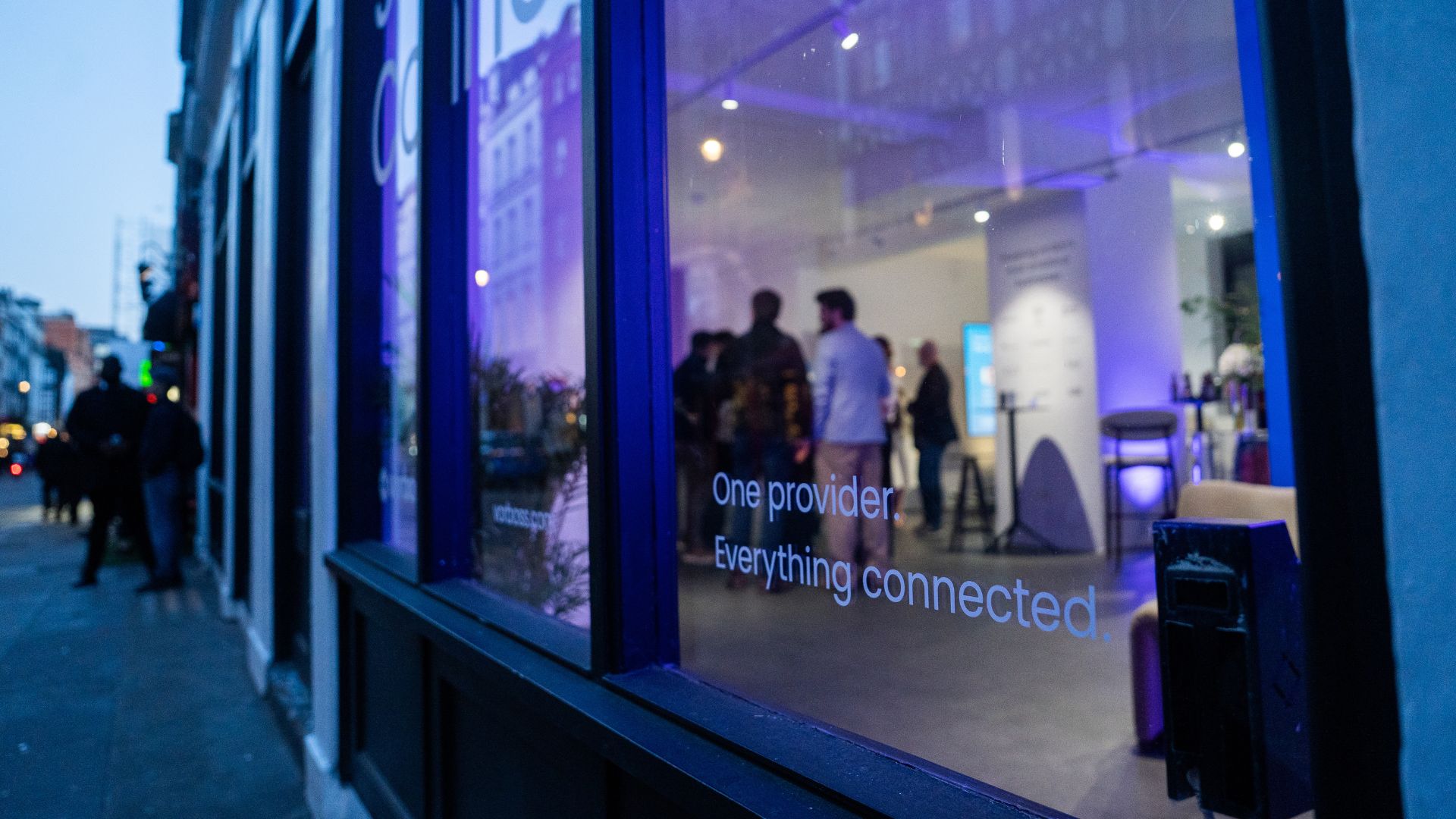
As companies grow, so does the technology behind them. Connectivity, IT and cybersecurity often end up spread across multiple suppliers, contracts and support models. Simply Connected brings it all together under one provider, making it easier to manage, easier to support, and clearer to understand costs.
At the heart of it is Vorboss’ own fibre network spanning over 750km across London, built, owned and operated in-house, with the same team designing, installing and managing the full setup end-to-end.
“Office technology has become overcomplicated,”
said Rhod Morgan, Chief Operations Officer at Vorboss.
“Many businesses have the right services on paper, but the experience feels disjointed. We wanted to remove the grey areas. Customers manage one relationship, have access to local support and receive one predictable monthly bill. The same team that builds the solution runs and supports it day-to-day.”
Simply Connected includes modular services that flex around each business and scale as it grows:
- Dedicated internet connectivity from Vorboss
- Fully managed office networks
- Managed IT and hardware provisioning
- Cybersecurity
- Ongoing support delivered by local London experts

Vorboss is powering the ambitions of London’s businesses with blazing-fast connectivity, managed IT, and serious cybersecurity. As we grow, we are focused on building a team that reflects the diversity of the customers we serve.
This year’s gender pay gap results mark a clear step forward, with both our median and mean pay gaps in favour of women, placing us ahead of the UK benchmark.
We recognise that lasting change depends on improving representation across roles and levels, and we are taking deliberate action to support this through inclusive hiring, clear career pathways and ongoing development. We are proud of the progress made and remain committed to achieving gender parity across Vorboss by 2028.
Read the full report here.

.avif)

.avif)
